GB WhatsApp Login: Direct vs Link Device [Which Is Safer]
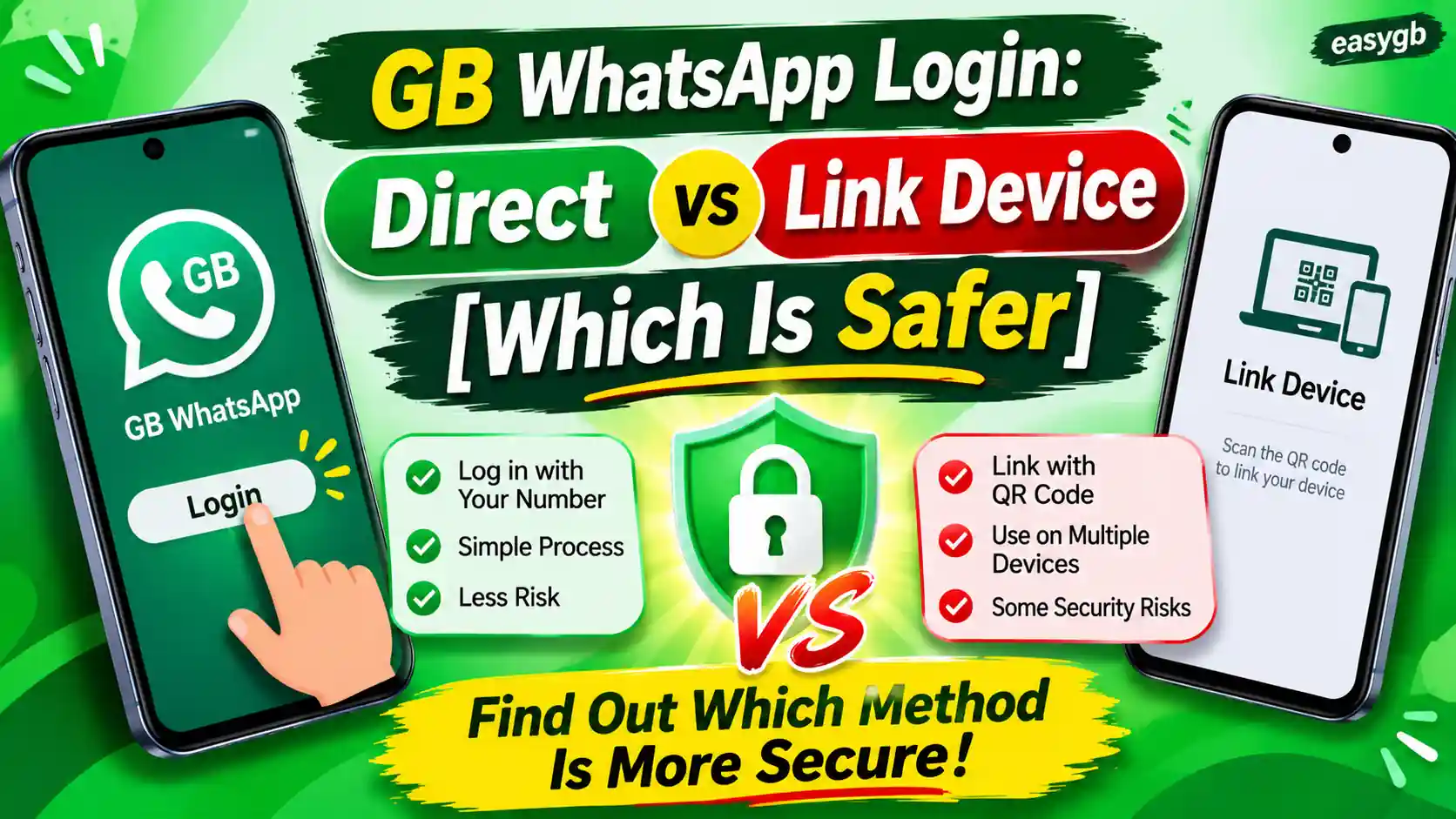
There are two ways to get into GB WhatsApp, and the one you pick changes everything. Direct login ties your phone number straight to GB WhatsApp’s unofficial client. Link Device login borrows a session from your official WhatsApp and adds GB WhatsApp as a companion. Most users go with direct login without thinking twice. But if you understand what each method actually does to your account, your data, and your ban risk, the choice becomes a lot more deliberate. This guide breaks both methods apart completely so you can walk into that login screen knowing exactly what you signed up for.
Why the Login Method in GB WhatsApp Matters More Than You Think
GB WhatsApp is a third-party modification of the original WhatsApp app. Meta, the company that owns WhatsApp, did not create it, does not endorse it, and explicitly prohibits it under its Terms of Service. Third-party developers took WhatsApp’s underlying code, added features the official app does not offer, and released it as a separate APK. Those features include custom themes, hidden last seen, anti-delete message viewing, dual account support, and extended file sharing limits.
Because GB WhatsApp is not an official client, every connection it makes to WhatsApp’s servers is an unauthorized workaround. The login process is where that workaround is most exposed. How you authenticate sets the tone for everything that follows: how detectable your session is, how stable the connection stays, what data passes through third-party hands, and how quickly WhatsApp flags your account for policy violations.
Most users treat the login screen as a formality. They enter their number, get the code, and move on. But each login method leaves a different fingerprint on WhatsApp’s servers. Understanding those fingerprints is what separates a user who avoids problems from one who loses their account on day one.
GB WhatsApp offers two distinct login paths: Direct Login using your phone number and OTP, and Link Device Login using a QR code from your official WhatsApp. They work differently, carry different risks, and suit different situations. Neither is officially supported by WhatsApp.
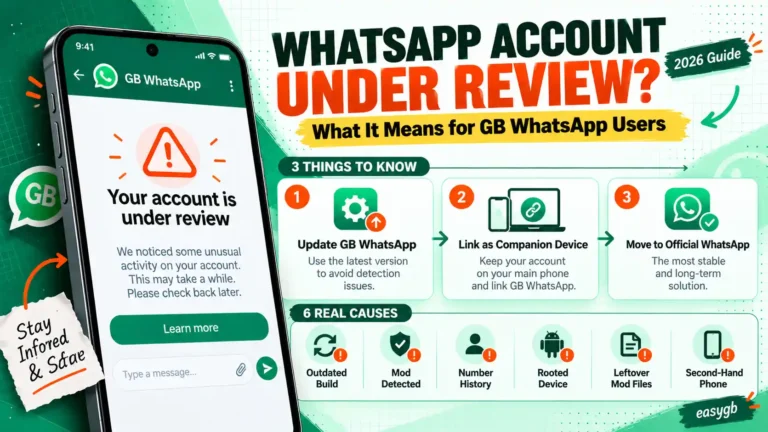
If you have faced issues like a GB WhatsApp login problem or received a warning that your account is under review, the login method you used was almost certainly part of the reason. Let us look at each one in detail.
What Is Direct Login in GB WhatsApp?
Direct login is the standard way to set up GB WhatsApp. You enter your phone number, receive a six-digit verification code via SMS or voice call, enter that code, and GB WhatsApp activates for your number. From that point on, GB WhatsApp acts as the primary WhatsApp client for that phone number on your device.
Most tutorials, YouTube videos, and GB WhatsApp download pages describe this process without even calling it “direct login.” For the vast majority of users, this is simply how you log into GB WhatsApp. It is stable, familiar, and works the same way setting up the official app does, at least on the surface.
How Direct Login Works Step by Step
- Download and install the latest GB WhatsApp APK from a trusted source with a verified build.
- Open GB WhatsApp. Tap Agree and Continue on the permissions screen.
- Select your country and enter your full phone number, including the country code.
- Tap the confirmation button. GB WhatsApp sends a registration request to WhatsApp’s servers using your number.
- WhatsApp’s servers generate a six-digit OTP and send it to your number via SMS. If SMS fails, request a voice call.
- Enter the OTP in GB WhatsApp. The app verifies it with WhatsApp’s servers and receives a session token.
- If you have a local backup from a previous GB WhatsApp or official WhatsApp session, restore it now. Otherwise, skip.
- Complete your profile setup: display name and photo. You are now logged in.
What Happens in the Background During Direct Login
The OTP comes directly from WhatsApp’s servers, not from GB WhatsApp. What GB WhatsApp does is act as the client that initiates and processes the registration request. Here is the technical chain: you enter your number, GB WhatsApp sends that number to WhatsApp’s servers while identifying itself as a WhatsApp client, WhatsApp sends the OTP to you, you enter it in GB WhatsApp, GB WhatsApp forwards it to WhatsApp’s servers, and the servers return a session token confirming your identity as the legitimate owner of that number.
That session token is what keeps you logged in. It is stored locally on your device by GB WhatsApp. The problem starts at the identification step. Every legitimate WhatsApp client app sends a cryptographically verified client signature when it contacts WhatsApp’s servers. The official app’s signature is tied to its Play Store certificate and verified through Google’s Play Integrity API. GB WhatsApp cannot pass this check because it is not signed by Meta and not distributed through the Play Store. It either spoofs the signature or sends a modified one, and WhatsApp’s servers are designed to detect exactly this kind of mismatch.
Who Direct Login Works Best For
Direct login is the practical choice for most GB WhatsApp users. It works reliably, does not depend on another device or app being active, and requires no special setup beyond the standard installation. If you want GB WhatsApp to function as your main messaging app for a specific number, this is the method you will use. Just know the trade-off: you are registering an unofficial client directly against your phone number, and WhatsApp’s detection systems are looking for exactly that.
What Is Link Device Login in GB WhatsApp?
Link Device login takes a completely different approach. Instead of registering GB WhatsApp as a standalone client for your phone number, this method makes GB WhatsApp act as a companion device attached to an existing official WhatsApp account. Think of it the way you would link WhatsApp Web to your phone: your official WhatsApp on your main phone stays as the primary account, and GB WhatsApp becomes a secondary device connected to that same account.
This is a significant architectural difference. You are not giving GB WhatsApp your phone number and OTP. Instead, you are allowing it to join a session that has already been legitimately established through the official app.
How Link Device Login Works Step by Step
- Make sure your official WhatsApp is installed and fully active on your main phone. This is your primary device and it must stay active.
- On the device where GB WhatsApp is installed, open GB WhatsApp.
- On the GB WhatsApp login or welcome screen, choose Link as Companion Device or Link to Existing Account (the exact label varies by GB WhatsApp version).
- GB WhatsApp displays a QR code on your screen. This QR code is time-sensitive and refreshes every 20 to 30 seconds.
- On your main phone with official WhatsApp, go to Settings (iPhone) or the three-dot menu (Android), then tap Linked Devices, then Link a Device.
- Your main phone activates its camera and shows a QR scanner. Point it at the QR code on GB WhatsApp’s screen.
- Your official WhatsApp authenticates the connection and links GB WhatsApp as a companion device.
- Wait 30 to 60 seconds for GB WhatsApp to sync your chat history from the official account.
Why This Method Is Called Experimental
Every reliable GB WhatsApp guide labels this feature experimental, unstable, or for advanced users only. The reason is not just marketing caution. WhatsApp’s multi-device API was built and tested for official companion apps on supported platforms, such as WhatsApp Web, the WhatsApp Desktop app, and companion iPhones or Android phones running the official app. GB WhatsApp inserts itself into this flow without any authorization from WhatsApp.
WhatsApp updates its multi-device protocol regularly. Each official WhatsApp update changes how the companion device handshake works at a protocol level. When that happens, GB WhatsApp’s link device feature breaks until the GB WhatsApp developers release a patch. Users who rely on this method wake up to a disconnected session after every major WhatsApp update, and re-linking often fails until a new GB WhatsApp version catches up.
The 14-Day Activity Rule You Need to Know
WhatsApp’s multi-device system has a built-in inactivity limit: your primary phone must connect to WhatsApp at least once every 14 days. If the main device goes offline for longer than that, all linked companion devices, including any active GB WhatsApp companion session, are automatically logged out. This is not a bug or a GB WhatsApp limitation. It is WhatsApp’s standard policy for all linked devices.
For Link Device users of GB WhatsApp, this rule is more painful than it sounds. After the automatic logout, re-linking often fails because of the client signature mismatch described above. You cannot simply re-scan the QR and carry on. You may need to wait for a GB WhatsApp update that addresses the current version of WhatsApp’s companion protocol before you can reconnect.
Direct Login vs Link Device Login: Side-by-Side Comparison
| Feature | Direct Login | Link Device Login |
|---|---|---|
| Authentication Method | Phone number + SMS OTP | QR scan from official WhatsApp |
| Requires Official WhatsApp App | No | Yes (as primary device) |
| GB WhatsApp Role | Primary client for that number | Companion/secondary device |
| Stability | High | Low — breaks with updates |
| Developer Recommendation | Yes (standard method) | Testing only |
| Most Common Errors | OTP not received, banned account | Couldn’t link device, session expired |
| Works If Primary Phone Is Offline | Yes (no dependency) | Up to 14 days only |
| Chat Sync Method | Standalone local storage | Real-time mirror of official account |
| OTP Handled by GB WhatsApp Code | Yes | No (stays within official app) |
| Ban Detection Risk | Moderate to High | Lower initially, but still present |
| Visible in Official WhatsApp Settings | No | Yes — appears in Linked Devices list |
| Google Drive Backup Support | No (local backup only) | No (syncs from official account) |
Security Analysis: What Direct Login Actually Puts at Risk
Understanding direct login security means understanding what gets exposed at each step of the authentication chain. The risk is not hypothetical. It is structural, and it exists whether or not the current GB WhatsApp developers are actively exploiting it.
Your Phone Number Flows Through Unverified Code
When you type your phone number into GB WhatsApp’s direct login screen, that number is processed by code written by third-party developers who have never been audited by WhatsApp or any independent security organization. Before your number reaches WhatsApp’s servers, it passes through GB WhatsApp’s local logic. This is where the developer’s code has full access to what you entered.
Privacy researchers who have analyzed unofficial WhatsApp mods note that the app’s code technically has access to the phone number, the incoming OTP, and the resulting session token, because all three pass through the same app environment. Whether the current build of GB WhatsApp sends any of this data to external servers is unknown without a code audit. The structural access is there regardless.
What the OTP Actually Represents and Why It Matters
The OTP (One-Time Password) is not just a code you enter once and forget. When you enter a valid OTP, WhatsApp’s servers generate a long-lived session token that confirms: this device is authorized to act as the WhatsApp account for this phone number. That session token is then stored locally by GB WhatsApp and used to authenticate every subsequent message, call, and media transfer.
If that session token is stored insecurely or transmitted to a third-party server, a bad actor could in theory replay it to access your WhatsApp account from another device. This is not a theoretical weakness unique to GB WhatsApp. It is a risk that exists any time a session token is managed by an unaudited application. With official WhatsApp, Meta’s engineering team and third-party security researchers have verified the token handling. With GB WhatsApp, no such verification exists.
End-to-End Encryption: Technically Present, Practically Unverified
Official WhatsApp’s end-to-end encryption is built on the open-source Signal Protocol. GB WhatsApp is derived from WhatsApp’s code, so the encryption protocol is technically present in the codebase. But the word “technically” is doing a lot of work there. Because the source code has been modified by unknown developers, there is no guarantee the encryption layer has not been altered, weakened, or bypassed for certain message types.
No independent cryptographic audit of GB WhatsApp’s encryption implementation has ever been published. If the encryption is intact, your messages are as private as they are on official WhatsApp. If it has been modified even slightly, your conversations could be readable by the GB WhatsApp developer. There is currently no way for a regular user to know which of these is true.
You can check if GB WhatsApp is truly safe before using it. The encryption concern is real: Meta itself states that modified apps do not carry official security guarantees. For conversations involving financial details, identity documents, or personal health matters, the official WhatsApp app is the only verified option.
Security Analysis: What Link Device Login Does (and Does Not) Protect
Link Device login has a genuine security advantage at the authentication step. It also has limits that users often misunderstand. Here is an honest breakdown of both.
How Borrowing an Official Session Reduces One Specific Risk
The clearest benefit of Link Device login is that your phone number and OTP never touch GB WhatsApp’s code. The entire authentication process, entering your number, receiving and entering the OTP, establishing the initial session, happens entirely within the official WhatsApp app on your main phone. GB WhatsApp receives an already-established session from WhatsApp’s multi-device handshake, not raw credentials.
This means one of the key vulnerabilities of direct login, the risk that GB WhatsApp’s code intercepts your phone number and OTP, does not apply here. If your concern is specifically about GB WhatsApp seeing your phone number at login, Link Device login addresses that concern directly.
The Risks That Do Not Go Away With Link Device
Once the session is established, your messages, contact names, media files, and chat metadata all flow through GB WhatsApp’s unverified code for display and storage. If the code has any privacy-compromising modifications, those take effect the moment you start using the app, regardless of how you logged in. The login method only protects the credential handshake, not the ongoing session.
Additionally, the companion session is visible in your official WhatsApp’s Linked Devices list. The device is listed with a name and a last active timestamp. Anyone who has access to your main phone and checks your Linked Devices list can see that a companion device named something like “GB WhatsApp” or a generic Android device is connected. This can reveal your use of a modified app in contexts where that matters to you.
The Instability Factor as a Security Problem
The instability of Link Device login is not just a usability issue. It is a security concern too. When the companion session breaks after a WhatsApp update, users often troubleshoot by re-linking repeatedly, trying modified QR scanning approaches, or downloading alternative GB WhatsApp builds. This troubleshooting behavior is exactly where additional risks are introduced, such as downloading a malicious APK disguised as a fixed GB WhatsApp version, or following instructions from unofficial forums that recommend insecure workarounds.
Common errors you will encounter with Link Device login and what each one means:
Couldn’t link device — WhatsApp’s servers rejected the companion request because GB WhatsApp’s client signature does not match any authorized companion app. This typically appears after a WhatsApp server-side protocol update.
Something went wrong — A protocol mismatch between GB WhatsApp’s companion implementation and WhatsApp’s current multi-device API. Usually resolved with a GB WhatsApp version update.
Session expired — The companion session was automatically terminated. This happens after 14 days of primary phone inactivity or after WhatsApp detects and revokes the unauthorized companion session.
QR code expired — The QR code refreshes every 20 to 30 seconds. Stay on the screen and complete the scan within the window.
If you have encountered these issues, our dedicated QR code error fixes guide covers the step-by-step solutions for each one.
Which Login Method Gets Your Account Banned Faster?
This is the question most users care about, and the honest answer is: it depends on WhatsApp’s current detection state when you log in. Neither method is immune to bans. But they expose your account to detection through different mechanisms and at different points in time.
How WhatsApp Detects Unofficial Clients
WhatsApp’s detection system checks several signals, not just whether you are using a modified app. The most important signal is the client certificate. Every official WhatsApp app installation carries a code-signing certificate issued by Meta and verified through Google’s Play Integrity API. When an app contacts WhatsApp’s servers, it presents this certificate. GB WhatsApp cannot present a valid certificate because it is not distributed through the Play Store and is not signed by Meta.
With direct login, this certificate check happens at the moment of registration. GB WhatsApp either spoofs the certificate or uses a modified approach. WhatsApp’s servers log this inconsistency. Detection can happen immediately or during a later routine check of session metadata.
With Link Device login, the initial QR authentication happens through official WhatsApp on your main phone, so the primary certificate check passes with the official app’s valid credentials. However, once GB WhatsApp is running as a companion device, it continues to communicate with WhatsApp’s servers and sends client metadata that does not match any authorized companion app. WhatsApp’s servers eventually identify this inconsistency and can revoke the session or flag the account.
The Escalating Ban Pattern
WhatsApp does not permanently ban accounts on first detection in most cases. The typical pattern follows a graduated approach that looks like this:
A temporary ban lasting 24 to 48 hours. WhatsApp shows an in-app message: “You are temporarily banned.” Your chats are inaccessible during this period. The ban lifts automatically after the timer expires. At this stage, switching to the official WhatsApp app clears the issue.
A longer temporary ban, typically 7 days. This appears when you return to an unofficial client after a first-stage ban without switching to the official app. The message changes to “Account not allowed due to policy violation.”
A permanent ban tied to your phone number. The message reads: “This account can no longer use WhatsApp.” Recovery at this stage requires contacting WhatsApp support and is granted in fewer than 20% of cases. Your chat history, group memberships, and contacts are all lost.
If you have already received a ban warning, our GB WhatsApp banned account guide walks through every available recovery step in detail.
Does Anti-Ban Technology in GB WhatsApp Actually Work?
Current GB WhatsApp builds advertise anti-ban features. These typically work by modifying the metadata the app sends to WhatsApp’s servers to better mimic an official client signature. In practice, these features reduce the speed of detection, not the certainty of it. WhatsApp updates its signature verification and detection logic with every official app release. A GB WhatsApp anti-ban feature that works in October 2026 may fail in November 2026 after the next WhatsApp update cycle.
Anti-ban features are best understood as a delay mechanism, not a solution. They can push your first detection back by weeks or months. They cannot make an unofficial client invisible to WhatsApp’s servers permanently.
Common Login Errors for Each Method and What to Do
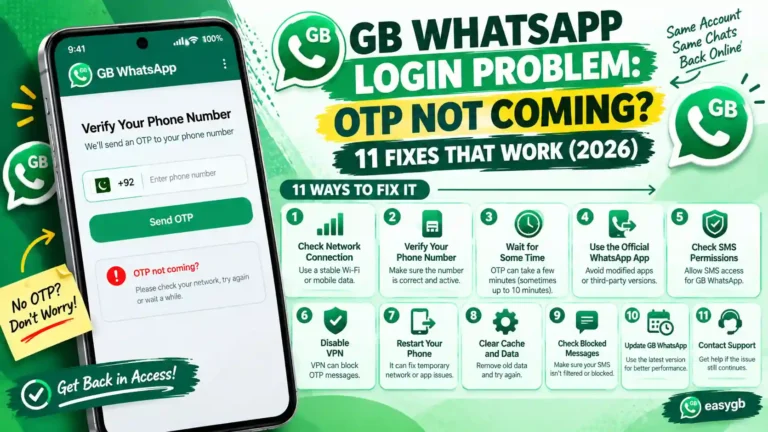
SMS not delivered — The OTP did not arrive. Wait 5 minutes, then request a voice call instead of SMS. Check that your number format includes the correct country code.
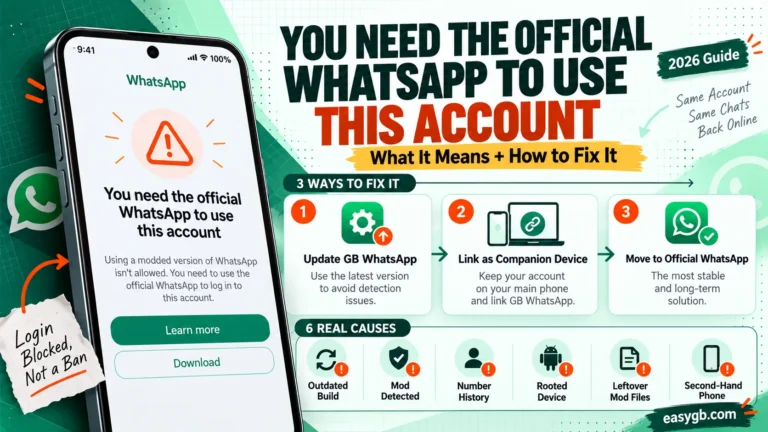
You need the official WhatsApp to log in — WhatsApp has identified GB WhatsApp as an unofficial client and blocked the registration. Do not retry repeatedly. Check for a new GB WhatsApp version that addresses the detection. See our fix guide for this error for step-by-step solutions.
Your phone number is not allowed — Your number has a previous policy violation or ban on record. Contact WhatsApp support through the official app before attempting any unofficial client login.
Invalid verification code — The OTP expired (WhatsApp OTPs expire in 10 minutes) or was entered incorrectly. Request a new one and enter it immediately.
Couldn’t link device — The most common Link Device error. WhatsApp’s servers rejected GB WhatsApp as an unauthorized companion app. Wait for a GB WhatsApp update that patches the protocol mismatch. Do not retry the same QR scan repeatedly, as failed attempts are logged.
Something went wrong — A generic protocol error. Usually appears right after a WhatsApp update breaks the companion handshake. Check the GB WhatsApp developer’s channel for a patch announcement.
QR code expired before scan — The QR refreshes every 20 to 30 seconds. Have both devices ready before generating the QR. Scan immediately when the code appears on GB WhatsApp.
Session disconnected after 14 days — Your primary phone’s official WhatsApp was inactive. Re-scan the QR after ensuring your main phone is online. If re-linking fails, a GB WhatsApp update may be needed.
If your GB WhatsApp is not working beyond just login issues, the GB WhatsApp not working guide covers the full range of issues including notification failures, crash loops, and media sync errors.
Tips to Reduce Risk If You Still Choose GB WhatsApp
Using GB WhatsApp carries inherent risks that cannot be fully eliminated. But there are practical steps that meaningfully reduce your exposure, regardless of which login method you choose.
- Use a secondary phone number. Never use your primary WhatsApp number with GB WhatsApp. A secondary SIM or a number you can afford to lose keeps your main WhatsApp account untouched if a ban occurs.
- Download only from verified sources. The malware risk with GB WhatsApp comes almost entirely from fake mirror sites that repackage the APK with bundled spyware. A consistent, reputable source with the same APK signature across updates dramatically lowers this risk.
- Enable two-step verification on your official WhatsApp. If you use Link Device login, your official WhatsApp account is part of the equation. Two-step verification on that account adds a PIN layer that protects it independently of GB WhatsApp’s behavior.
- Keep GB WhatsApp updated. Each new GB WhatsApp version typically patches the most recently detected anti-ban signatures. An outdated version is more likely to trigger WhatsApp’s detection systems than a current one. Check for updates every 4 to 6 weeks.
- Review your official WhatsApp Linked Devices regularly. If you use the Link Device method, your official WhatsApp’s Linked Devices list shows every active companion session. Remove any session you do not recognize immediately. This is your primary visibility tool into unauthorized access.
- Avoid sensitive data in GB WhatsApp conversations. Keep banking confirmations, identity documents, medical information, and credentials out of GB WhatsApp entirely. The encryption is technically present but unverified. Use the official app for anything consequential.
- Back up locally before any GB WhatsApp update. GB WhatsApp does not support Google Drive backup. Before updating or reinstalling, create a local backup through GB WhatsApp’s own settings. Losing chat history during an update is common and preventable with this step. If you ever need to restore it, our GB WhatsApp restore guide walks through the exact process.
Frequently Asked Questions
Is direct login in GB WhatsApp safe to use?
Direct login carries a moderate to high risk. Your phone number and session token pass through GB WhatsApp’s unverified third-party code before reaching WhatsApp’s servers. The encryption may be intact since the base code is WhatsApp’s own, but no independent audit has confirmed this. WhatsApp can also detect the unofficial client signature at login and issue a temporary or permanent ban on your number.
Can I use GB WhatsApp as a linked device to my official WhatsApp account?
Yes, the Link Device Login method in GB WhatsApp attempts exactly this. You open GB WhatsApp, choose Link as Companion Device, and your official WhatsApp scans the displayed QR code to authorize the connection. In theory, GB WhatsApp then mirrors your official account as a companion. In practice, this feature is unstable and frequently breaks after WhatsApp updates its multi-device protocol.
What happens if I use both official WhatsApp and GB WhatsApp on the same phone with the same number?
Running both apps with the same number on the same device creates a session conflict. When you log into GB WhatsApp directly with your number, it replaces the official WhatsApp session for that number on the device. WhatsApp only permits one primary device per number at a time. Attempting to run both simultaneously with the same number increases ban detection risk significantly and often results in one or both sessions being terminated.
Will WhatsApp send me a notification when GB WhatsApp is linked as a companion device?
Yes. Official WhatsApp sends a notification to your primary phone whenever a new companion device is linked. The device appears in your official WhatsApp’s Linked Devices list with a label and last active timestamp. This means anyone with access to your main phone and enough curiosity to check Settings can see that a companion device is connected to your account.
What does the “Couldn’t link device” error in GB WhatsApp mean?
This error means WhatsApp’s servers rejected GB WhatsApp’s companion device request because the client signature does not match any authorized companion app. It is the most common error in Link Device Login and almost always appears right after WhatsApp releases an update that changes its multi-device protocol. The fix requires waiting for a GB WhatsApp version that patches the mismatch. Retrying the same QR repeatedly does not help and logs repeated failed attempts with WhatsApp’s servers.
Is Link Device login more private than direct login?
At the authentication step, yes. With Link Device login, your phone number and OTP never enter GB WhatsApp’s code, because authentication happens entirely within official WhatsApp. However, once the session is active, all your messages, contacts, and media pass through GB WhatsApp’s unverified code during display and storage. The privacy advantage applies to the login moment only, not to your ongoing use of the app.
Can I switch from direct login to link device login in GB WhatsApp without losing my chats?
Switching methods requires logging out and back in through a different path. Before switching, create a local backup through GB WhatsApp’s own settings (GB WhatsApp does not support Google Drive backup). Even with a backup, message restoration is not guaranteed to be complete. Link Device login syncs chats from your official WhatsApp account rather than restoring a local backup, which means you see the official account’s history but may lose anything that existed only in GB WhatsApp.
Which GB WhatsApp login method carries a lower ban risk overall?
Link Device login carries a lower immediate ban risk because the initial connection borrows legitimacy from the official WhatsApp session rather than presenting an unauthorized client signature at registration. Direct login exposes the unofficial client to WhatsApp’s detection systems from the first contact with their servers. However, neither method prevents a ban indefinitely. Both violate WhatsApp’s Terms of Service. With Link Device, sessions also break unpredictably after WhatsApp updates, which can make the overall experience less stable than the slightly higher-risk but more consistent direct login.
The Bottom Line: Which Login Method Should You Choose?
Direct login is the more practical choice for everyday GB WhatsApp use. It is stable, works without needing the official app on a second device, and functions the same way regardless of WhatsApp’s companion API updates. The trade-off is that it directly exposes your number and session to GB WhatsApp’s unverified code and presents an unauthorized client signature to WhatsApp’s servers from day one.
Link Device login has a real advantage at the authentication step: your OTP never goes near GB WhatsApp’s code. But that advantage is undermined by the method’s instability. It breaks with every major WhatsApp update, re-linking frequently fails, and the 14-day inactivity rule creates ongoing maintenance work. For most users, it introduces more frustration than safety benefit.
Whichever method you choose, the most important step you can take is using a secondary phone number rather than your main WhatsApp number. Start with a verified GB WhatsApp APK download and go in with accurate expectations about what you are trading for the extra features.
Sources
- WhatsApp Help Center — About Unofficial WhatsApp Versions and What Happens If You Use Them
- WhatsApp Help Center — How to Use Linked Devices
- fone.tips — GB WhatsApp APK: Risks, Bans, and Safer Options (2026)
- gbdwnpro.org — How to Use GB WhatsApp App: Two Login Methods Explained