Is Your GB WhatsApp Hacked? 7 Signs + Instant Fix (2026)
Something feels off with your GB WhatsApp. A contact messaged you asking about something you never said. Your phone runs unusually hot for no clear reason. Or an SMS arrived with a 6-digit verification code you never requested. These are not random glitches. These are early warning signals that someone may already be inside your account right now. This guide tells you exactly how to confirm a breach, how to kick intruders out in minutes, and how to lock your GB WhatsApp so tightly that getting back in becomes nearly impossible for anyone but you.
Why GB WhatsApp Users Face a Much Higher Hacking Risk
Before you can spot a breach, you need to understand why GB WhatsApp attracts attackers far more than official WhatsApp does. The reason comes down to five structural vulnerabilities that exist by design, not by accident.
First, you install GB WhatsApp as a sideloaded APK file from a third-party website. That means Google Play Protect, which continuously monitors every app installed through the Play Store, never scans it. A malware-laced GB WhatsApp APK runs on your phone without any automatic alert.
Second, hundreds of fake “GB WhatsApp download” sites exist online right now. Many of them serve repackaged APKs carrying trojans, spyware, and adware embedded inside the installation file. Cybersecurity firm ESET documented that GB WhatsApp was behind a large portion of Android spyware detections across multiple reporting periods. When you download from the wrong site, the hack happens at installation, before you open the app for the first time.
Third, end-to-end encryption cannot be independently verified in GB WhatsApp builds. Official WhatsApp is fully transparent about its Signal encryption protocol. GB WhatsApp is a modified, closed-source build, which means you rely entirely on the developer’s word. Security researchers have found some versions communicating with servers outside WhatsApp’s own infrastructure.
Fourth, security patches arrive weeks or months late. Official WhatsApp pushes patches for critical vulnerabilities rapidly, often within days of discovery. GB WhatsApp developers patch on their own timeline. During that gap, your device runs a version with known, publicly documented vulnerabilities.
Fifth, fake “GB WhatsApp Pro” links and fake “GB WhatsApp update” pages circulate constantly on WhatsApp groups, Telegram channels, and social media. Clicking one can install spyware that gives a third party complete access to your chats, camera, microphone, and contact list before you notice a single thing.
In April 2026, WhatsApp notified 200 users who had installed a cloned APK carrying Spyrtacus spyware linked to Italian firm SIO. Simultaneously, the Morpheus spyware campaign actively circulates fake Android update apps throughout 2026 to hijack WhatsApp accounts using biometric spoofing. Both campaigns distribute exclusively through unofficial APK channels. This is not a theoretical risk.
If you want a complete breakdown of how these two versions handle your data differently, our full comparison of GB WhatsApp vs official WhatsApp covers every difference in detail. And for a broader safety analysis, our guide on whether GB WhatsApp is safe to use is a useful companion read before you decide on your security posture.
7 Clear Warning Signs Your GB WhatsApp Has Been Hacked
Most people discover a breach only after a contact sends them a confused message asking about something strange that came from their number. You can catch it much earlier. Watch for these seven signals and treat any combination of two or more as a confirmed emergency.
Sign 1: Unknown Devices Appear in Your Linked Devices List
This is the most direct evidence you can find. Open GB WhatsApp, tap the three-dot menu in the top right corner, go to Settings, and select Linked Devices. You see every session currently connected to your account, including the device name, browser type, and the last time it was active.
A device you do not personally own and recognize means someone else actively reads your messages right now. GB WhatsApp Web sessions stay open indefinitely until you manually terminate them. An attacker who gained access three weeks ago may still be watching every conversation you have, silently, without you ever seeing a notification.
Sign 2: Messages Your Contacts Received That You Never Sent
When a hacker gets into a GB WhatsApp account, contacting the victim’s friends and family is usually the first move. They ask for money through urgency stories, share malicious links, or try to pull OTPs out of your contacts while pretending to be you. This is how the majority of victims learn about a breach: a confused or alarmed contact asks “did you send me this?”
If two or more contacts report receiving unusual messages from your number within the same period, stop everything and investigate your Linked Devices list immediately. Do not wait for a third contact to report it.
Sign 3: A Verification Code SMS You Never Requested
WhatsApp sends a 6-digit registration code only when someone asks to register your phone number on a new device. If that message arrives out of nowhere, an attacker is actively attempting a takeover at that exact moment. You have a narrow window to react before they complete the process.
Never share this code with anyone. Not with a person claiming to be a friend in trouble. Not with someone claiming to represent your mobile carrier. Not with anyone claiming to be WhatsApp support. The 6-digit code is the master key to your account. Whoever enters it gains complete access within seconds.
Sign 4: Your Profile Photo, Name, or About Status Changed Without You Doing It
Once an attacker gains access, they change your profile details to impersonate you more convincingly while running scams on your contacts. If your profile photo suddenly shows something unfamiliar, your display name changed to something you did not set, or your About section was altered, someone else made those changes.
Check your profile by tapping your name at the top of the Chats screen. Compare what you see against what you originally set. Any discrepancy is a serious red flag that demands immediate action.
Sign 5: Your Phone Battery Drains Unusually Fast or Overheats for No Reason
Spyware delivered through a fake GB WhatsApp APK runs continuously in the background. It captures your screen activity, intercepts messages, records audio through your microphone, and sends all of that data to a remote server over your internet connection. This constant background work drains your battery significantly faster than normal and puts sustained load on your processor, causing the phone to heat up even when you are not using it.
Battery drain alone is not definitive proof of a hack. Combine it with even one other sign from this list, though, and the picture becomes much clearer. Go to Android Settings, then Battery, and check which apps consume the most power in the background.
Sign 6: A Sudden Spike in Your Mobile Data Usage
Spyware exfiltrates data around the clock. Your contact list, full chat history, photos, voice notes, and call logs all transmit to a remote server. That sustained outbound data traffic creates a usage spike that your normal messaging habits cannot explain.
Check it yourself: go to Android Settings, then Network and Internet, then Data Usage. Find GB WhatsApp in the app list and look at its consumption over the past 30 days. If the number is far higher than what your actual message volume justifies, investigate further before dismissing it.
Sign 7: You Are Suddenly Logged Out or Cannot Log Back In
WhatsApp only allows one active registration per phone number at any given time. The moment someone re-registers your number on their device, your device gets kicked out automatically. You see a message stating that your phone number is now registered on another phone.
This is the most severe sign on this list. It means the account takeover is already complete. If you reach this point, stop reading this section and go directly to the emergency recovery section below. Every additional minute of delay gives the attacker more time to lock you out permanently by setting their own two-step verification PIN.
| Security Feature | GB WhatsApp | Official WhatsApp |
|---|---|---|
| End-to-End Encryption | Cannot be independently verified | Open-source Signal Protocol, fully verified |
| Play Protect Scanning | None (sideloaded APK) | Active on every update and installation |
| Security Patch Speed | Weeks to months behind official releases | Monthly patches, critical fixes faster |
| Download Source | Third-party APK websites | Google Play Store and Apple App Store |
| Malware Risk on Download | Moderate to High (source-dependent) | Very Low |
| Account Ban Risk | Real and ongoing in 2026 | Zero |
| Independent Security Audits | None publicly documented | Regular third-party audits |
How Hackers Actually Get Into Your GB WhatsApp Account
Understanding the exact methods attackers use lets you shut down each entry point deliberately. Five primary attack vectors target GB WhatsApp users specifically. Know all five.
Attack Method 1: Fake or Infected APK Files (Most Dangerous for GB WhatsApp Users)
This attack vector is almost unique to GB WhatsApp. Because you must download it from a third-party site, you are always one wrong click away from installing a malware-laced file. Attackers create convincing lookalike sites with names that include “gbwhatsapp,” “gbwa,” or “whatsapp-mod” and serve repackaged APKs that appear completely normal. The app opens, looks like GB WhatsApp, and functions like GB WhatsApp. The spyware runs silently underneath.
From the moment you install it, the malware harvests your messages, media, contacts, call logs, and authentication tokens, and sends all of it to a remote server the attacker controls. Malwarebytes classified this threat family as Android/PUP.Riskware.Wtaspin.GB, and ESET repeatedly documented it as a leading Android spyware vector in India and other high-usage markets.
Attack Method 2: OTP Phishing
The attacker already has your phone number. They type it into WhatsApp on their own device and request a 6-digit registration code. Your phone receives that code by SMS. Then the attacker calls or messages you posing as your mobile operator, a bank employee, or a friend in an emergency. They convince you to share the code “for verification purposes.” Once you share it, registration on their device completes instantly. The entire process takes under two minutes to execute.
OTP phishing works because it exploits trust and urgency rather than technical vulnerabilities. The fix is simple: treat your OTP code the same way you treat your ATM PIN. No one legitimate ever needs it.
Attack Method 3: QR Code Hijacking
WhatsApp Web uses QR codes to pair sessions. An attacker embeds a WhatsApp Web login QR code inside a webpage, a forwarded screenshot, or a link disguised as something completely unrelated. When you scan it with your GB WhatsApp camera, their browser session connects to your account in real time. They see every message you send and receive, download your media, and access your full contact list. You receive no notification on your side when this happens.
Never scan a QR code that someone sends you in a message and tells you to open with WhatsApp for “account verification” or any other reason. Legitimate services never work this way.
Attack Method 4: WhatsApp Web Session Hijacking
If you ever used GB WhatsApp Web on a shared computer, a work device, or a hotel kiosk, that session likely remains active right now. Browser sessions do not expire automatically. An attacker with access to that computer can read every conversation you have had since you logged in, download your media, and extract your full contact list, long after you walked away.
This is why checking your Linked Devices list regularly is not optional maintenance. It is your active security check.
Attack Method 5: SIM Swapping
In a SIM swap attack, the attacker contacts your mobile carrier while pretending to be you. They claim they lost their phone and need your number transferred to a replacement SIM they hold. Once the carrier completes the transfer, every SMS, every OTP, and every verification call intended for your number routes to the attacker’s device. They request a new WhatsApp registration code for your number, enter it, and complete a full account takeover without ever touching your phone.
SIM swapping is harder to execute than phishing but it produces the most complete takeover. If you suspect it, call your carrier immediately, verify your account details with them directly, and request a SIM lock that requires in-person ID verification before any future transfer.
How to Check If Your GB WhatsApp Is Hacked Right Now
Run through these eight checks right now. They take less than five minutes in total. Complete all eight before you conclude your account is safe. A single check is not enough.
- Open GB WhatsApp on your phone. If the app immediately asks you to verify your number and you did not uninstall it or get a new SIM, skip the rest of these checks and go directly to the recovery section below. That prompt alone confirms a takeover.
- Tap the three-dot menu in the top right corner, then tap Settings.
- Tap Linked Devices. Read every entry carefully. Tap on each device to see its name, the browser or app type, and when it was last active. Any device you did not personally connect is an active unauthorized session that needs immediate termination.
- Scroll through your recent chat list. Look at the last message in each thread. Check for anything you did not type. Also look for any conversations that have been read or opened without your involvement.
- Tap your profile photo at the top of the Chats screen to open your profile. Verify your display name, profile photo, and About section are exactly as you set them. Even a small change you did not make is significant.
- Check data usage. Go to Android Settings, then Network and Internet, then Data Usage. Tap on GB WhatsApp. If its data consumption over the past 7 to 30 days looks far higher than your normal messaging activity would justify, note it as a concern.
- Check battery usage. Go to Android Settings, then Battery. Check whether GB WhatsApp shows unusual background power consumption compared to your other apps and your normal usage patterns.
- Run a mobile security scan. Download Malwarebytes for Android or use Bitdefender Mobile Security and run a full scan. Both tools detect the riskware variants documented in cloned GB WhatsApp APK files. A clean result gives you reliable confidence your device is not currently running spyware.
Finding one unfamiliar linked device in step 3 is enough to treat the account as compromised. You do not need to confirm every other sign first. One unknown active session is one too many. Terminate it immediately and then follow the recovery steps below.
You Have Been Hacked. Here Is Exactly What to Do
Speed matters more than anything here. Every minute gives the attacker more time to lock you out permanently by setting their own two-step verification PIN. Follow these steps in order and as quickly as you can.
If You Still Have Access to Your GB WhatsApp
- Log out all unknown linked devices immediately. Go to Settings, then Linked Devices. Tap each unfamiliar session and select Log Out. This terminates the attacker’s access the instant you tap it. They lose their window into your account right then.
- Enable Two-Step Verification right now if it is not already active. Go to Settings, then Account, then Two-step verification, then Turn On. Set a 6-digit PIN you will remember. This single step is the most important defensive action you can take. Even if the attacker gets your OTP in the future, they cannot register your number without this PIN.
- Add a recovery email address on the same Two-Step Verification screen. Use an email account only you control, protected by its own two-factor authentication. This email gives you the ability to reset your PIN instantly in a future emergency instead of waiting 7 days.
- Change your 2SV PIN if you already had one enabled. The attacker may have seen it while they had access. Choose a new PIN that has no connection to any other PIN or password you use.
- Warn your contacts. Send a message to your closest contacts and your most active group chats telling them your account was recently compromised. Ask them to disregard any unusual messages or money requests that came from your number over the past 24 to 48 hours.
- Run a full malware scan on your phone. If you recently downloaded a GB WhatsApp APK from any site you are not certain about, treat the device as potentially infected. Malwarebytes for Android handles this effectively.
- Encrypt your chat backup. Go to GB WhatsApp Settings, then Chats, then Chat Backup, then enable end-to-end encrypted backup with a strong password. An unencrypted Google Drive backup of your chats is accessible to anyone who also compromises your Google account.
If You Are Already Locked Out of Your Account
- Confirm your SIM is still in your phone and that you can receive SMS messages. Send yourself a test SMS from another phone. If messages are not arriving, your number may have been SIM-swapped. Contact your carrier before anything else.
- Open GB WhatsApp or the official WhatsApp app. Enter your full phone number with your country code. Request a 6-digit verification code by SMS. If SMS does not arrive within 60 seconds, tap “Call me instead” to receive the code by voice call.
- Enter the 6-digit code the moment it arrives. This immediately re-registers your number on your device and terminates every active session anywhere else in the world, including the attacker’s session. This one step kicks them out completely.
- If WhatsApp asks for a 2SV PIN you never set, the attacker activated it to block your return. Tap “Forgot PIN?” If you had previously added a recovery email, WhatsApp sends a reset link to that email immediately. Use it. If you never added a recovery email, WhatsApp enforces a mandatory 7-day waiting period before it lets you reset the PIN.
- Email support@support.whatsapp.com with the subject line: “Lost/Stolen: Please deactivate my account” and include your phone number in full international format in the message body. This asks WhatsApp to freeze the account and prevents the attacker from using it while you work through recovery.
- Once you regain access, immediately enable two-step verification, add a recovery email, log out all linked devices, run a malware scan, and notify your contacts. Complete all of these steps before you do anything else with the account.
If the login process itself is producing errors, our detailed guide on GB WhatsApp login problems covers every possible failure point with specific solutions. And if you received a ban notice during or after this process, our GB WhatsApp account banned guide explains what the ban type means and the correct appeal path.
10 Steps to Lock Down Your GB WhatsApp in 2026
Recovery is reactive. Lockdown is proactive. Once you are back in control, go through each of these ten steps. They work together as layers, and skipping even one leaves a specific vulnerability that an attacker can use. Treat this as a checklist, not a suggestion list.
- Enable Two-Step Verification. This is the single most important protection available to you. Go to Settings, then Account, then Two-step verification, then Turn On. Set a 6-digit PIN. WhatsApp’s own official security guidance names this as the most effective defense against account takeover. Even an attacker who has your OTP cannot register your number without this PIN.
- Add a recovery email address you actively use. On the Two-Step Verification screen, add a real email account only you control. Protect that email account with its own two-factor authentication. This email is the only way to reset your PIN instantly in a future emergency. Without it, you face a 7-day lockout window that an attacker can exploit.
- Lock GB WhatsApp with Fingerprint or PIN. Go to GB WhatsApp Settings, then Privacy, then Fingerprint Lock. Enable it and set the timer to “Immediately.” Even if someone picks up your unlocked phone, they cannot open GB WhatsApp without your biometric authentication. This stops physical access attacks completely.
- Review your Linked Devices list every single week. Set a repeating weekly reminder. Go to Settings, then Linked Devices. Log out any session you did not personally initiate, any session on an unfamiliar device, or any session older than 14 days you no longer need. This weekly check catches active breaches that produce no other obvious symptoms.
- Set a SIM PIN with your mobile carrier. Call your carrier or use their app to activate a SIM lock. A SIM PIN means that even if an attacker steals your physical SIM card, they cannot use it to receive your WhatsApp verification codes. This directly prevents SIM swapping before it starts.
- Download GB WhatsApp APK only from trusted, community-reviewed sources. Your APK source is the single most consequential security decision you make as a GB WhatsApp user. EasyGB.com provides verified GB WhatsApp APK files that the community has reviewed. Downloading from random sites that appear in a Google search is how the majority of GB WhatsApp hacks begin.
- Never click “GB WhatsApp Pro” or unsolicited “GB WhatsApp update” links. Legitimate GB WhatsApp updates never arrive through messages someone forwards to you, through social media posts, or through links on sites you stumbled upon. Always check for updates inside the app itself: go to the GB Settings menu and tap Check for Updates. That is the only safe update path.
- Enable encrypted chat backups. Go to GB WhatsApp Settings, then Chats, then Chat Backup. For local backup, this is generally fine. For Google Drive backup, enable end-to-end encryption with a strong password that you store somewhere secure. An unencrypted cloud backup of your entire chat history is a separate attack surface entirely.
- Use a trusted VPN on public Wi-Fi. Public networks at airports, coffee shops, hotels, and shared offices are common environments for man-in-the-middle interception. A reputable VPN such as NordVPN, ProtonVPN, or ExpressVPN encrypts your entire connection before it leaves your device, making packet interception useless to an attacker on the same network.
- Run a mobile security scan every month. Use Malwarebytes for Android or Bitdefender Mobile Security and schedule a full scan on the first of every month. A monthly scan catches newly introduced spyware from any APK you downloaded, any file you received, or any link you clicked since your last clean scan.
GB WhatsApp Privacy Settings to Turn On Right Now
GB WhatsApp gives you more granular privacy controls than the official app. Most users never touch them. Enabling these settings adds meaningful protection and makes your account significantly harder to exploit through social engineering and profile reconnaissance.
Last Seen and Online Status
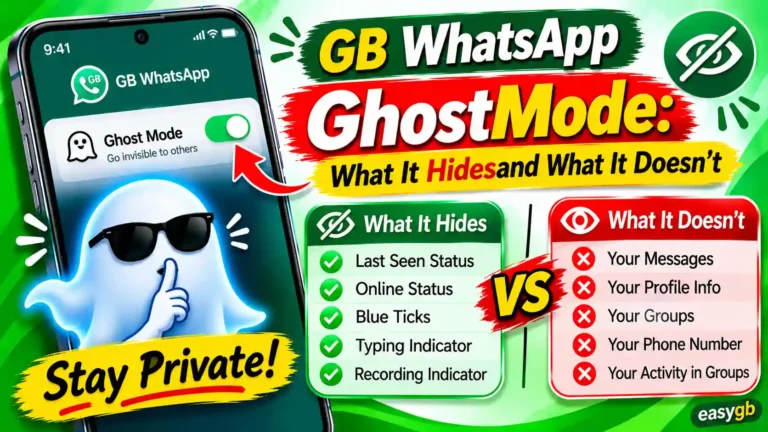
Go to Settings, then Account, then Privacy. Set “Last Seen” to “Nobody” or “My Contacts Only.” Set who can see when you are online to “My Contacts Only.” Attackers who study your activity patterns to time their social engineering calls check your Last Seen status first. Hiding it removes that information entirely.
Profile Photo and About
On the same Privacy screen, set both your Profile Photo and About section to “My Contacts Only” or “Nobody.” Hackers scrape your profile photo to create convincing impersonation accounts they use to scam your contacts. Restricting visibility prevents that entirely.
Read Receipts
Turn off read receipts. This stops others from knowing when you have read their messages, which attackers sometimes use to track your responsiveness and plan their social engineering timing.
Media Gallery Visibility
Go to GB WhatsApp Settings, then Chats, then turn off “Show Media in Gallery.” This prevents every photo and video someone sends you from automatically saving to your phone’s shared gallery, where other apps with storage permissions can access them.
Message Anti-Revoke
Enable anti-revoke in GB Settings. This captures messages before they are deleted, so if an attacker sends messages from your account and tries to erase the evidence before you notice, you retain a record of exactly what was sent and to whom.
App Lock Timer
Set the fingerprint lock timer to “Immediately” rather than the 1-minute or 5-minute options. A timer delay means anyone who picks up your phone during an unlocked screen can open GB WhatsApp and browse your conversations freely before the lock activates.
Disable Auto-Link Previews from Unknown Contacts
In GB WhatsApp’s privacy settings, disable automatic link preview generation for messages from contacts not in your address book. This reduces your exposure to link-preview exploitation techniques that attackers use through malicious URLs sent from unknown numbers.
How to Stay Hack-Proof Going Forward
The steps above secure your account right now. The habits below keep it secure over time. Security is not a one-time action. It is a set of consistent behaviors.
Treat your OTP code exactly like the PIN to your bank account. The moment anyone asks you to share it for any reason, the answer is no without exception. WhatsApp support never calls you to ask for your code. Your mobile carrier never needs it. No emergency involving a friend justifies sharing it. The code exists for one purpose: to register your number on a device. Anyone who asks you for it wants to own your account.
Keep your APK source consistent and trusted. Every time you update GB WhatsApp, you download a new APK. Every download is a fresh opportunity to accidentally install a malicious file. Pick one trusted source and never deviate from it regardless of how official another site looks or how many download buttons it shows. If you are not certain about the safety of your current installation, our GB WhatsApp safety guide gives you the evaluation criteria to check any build.
Never let anyone scan your phone’s screen with a camera near GB WhatsApp. A QR code scan takes under three seconds. If someone points a camera at your screen while you have GB WhatsApp open, assume they are trying to capture a Linked Devices QR code and move your phone away immediately.
Keep your recovery email account locked down. The email you linked to Two-Step Verification is the most sensitive secondary credential your account has. If an attacker compromises that email, they can reset your WhatsApp PIN without your knowledge. Enable two-factor authentication on that email. Use a password that is unique to that account and stored in a password manager.
Make the weekly Linked Devices check non-negotiable. Set it as a recurring calendar event on Monday morning or whatever day works for your routine. The check takes 20 seconds. It catches active breaches that produce no other visible symptoms for days or weeks.
Open Linked Devices and log out anything unfamiliar. Verify Two-Step Verification is still enabled. Confirm your recovery email is still the address you control. Check GB WhatsApp data usage in Settings. Confirm your profile details have not changed. That is it. Five checks. Sixty seconds. Every week.
Frequently Asked Questions
How do I know if my GB WhatsApp has been hacked?
The clearest signs are unfamiliar devices showing up in Settings → Linked Devices, messages your contacts received that you never sent, an unsolicited 6-digit verification code arriving by SMS, profile changes you did not make, unusual battery drain or phone overheating, a mobile data spike you cannot explain, and being suddenly logged out or locked out. If you notice any combination of two or more of these at the same time, treat your account as actively compromised and follow the recovery steps in this guide immediately.
Can someone hack my GB WhatsApp without touching my phone?
Yes. Three of the five primary attack methods require zero physical access to your device. OTP phishing tricks you into voluntarily sharing your registration code. QR code hijacking causes you to unknowingly pair an attacker’s browser session to your account. SIM swapping transfers your entire phone number to a SIM the attacker controls, giving them access to every verification code that comes from WhatsApp. Remote hacks are actually more common than device-based ones.
What makes GB WhatsApp more vulnerable to hacking than official WhatsApp?
GB WhatsApp distributes exclusively as a sideloaded APK from third-party sites rather than through an official app store. This removes Google Play Protect scanning, eliminates the guarantee of verified end-to-end encryption in every build, delays security patches by weeks or months after vulnerabilities become public, and creates a large ecosystem of fake lookalike download sites that bundle spyware into repackaged APKs. Official WhatsApp receives rapid patches and regular independent security audits. GB WhatsApp receives neither.
How do I enable two-step verification in GB WhatsApp?
Open GB WhatsApp and tap the three-dot menu in the top right. Go to Settings, then Account, then Two-step verification, then Turn On. Set a 6-digit PIN that you will actually remember and that you do not use for anything else. On the next screen, add a recovery email address you actively control. WhatsApp uses that email to send you a PIN reset link instantly if you ever forget it. Adding this email is not optional; without it, a forgotten PIN results in a 7-day lockout from your own account.
What should I do if I think I downloaded a fake GB WhatsApp APK?
Disconnect your phone from Wi-Fi and mobile data immediately to stop any ongoing data exfiltration. Uninstall the suspicious app right away. Run a full scan with Malwarebytes for Android or Bitdefender Mobile Security. If the scan reports malware or riskware, perform a factory reset to fully clean your device. After the reset, download a verified GB WhatsApp APK only from a source the community has reviewed and confirmed clean. Re-register your number, enable two-step verification, add your recovery email, and check your Linked Devices before you do anything else.
Can my GB WhatsApp be hacked through a WhatsApp Web QR code?
Yes, and this is one of the most underestimated attack vectors. A WhatsApp Web QR code scan takes under three seconds and grants complete real-time access to your entire account: all messages, all media, all contacts, and even the ability to send messages as you. Attackers embed these QR codes in images, websites, and forwarded screenshots with plausible cover stories. Never scan a QR code someone sends you in a message and instructs you to open with WhatsApp. Legitimate services never operate this way.
Is it safe to use GB WhatsApp for banking details or sensitive conversations?
No, and this applies regardless of how careful you are about your APK source. GB WhatsApp’s encryption cannot be independently verified the way official WhatsApp’s Signal Protocol can. Some builds have been documented to communicate with additional servers. The APK supply chain carries ongoing malware risks. Any sensitive information, whether banking credentials, personal ID details, medical records, or confidential business data, that you share over GB WhatsApp could reach unintended parties. Use a verified, audited, end-to-end encrypted channel for anything sensitive.
How long does it take to recover a hacked GB WhatsApp account?
If you still have your SIM card and can receive SMS messages, re-registering your number with the 6-digit code takes under five minutes. If the attacker enabled two-step verification on your account and you previously added a recovery email, resetting the PIN via that email takes about two minutes. If the attacker enabled two-step verification and you never added a recovery email, WhatsApp enforces a mandatory 7-day waiting period before you can reset the PIN. This is why the recovery email setup is so critical. Add it now, before any breach happens.
Should I switch back to official WhatsApp after being hacked on GB WhatsApp?
Switching to official WhatsApp is always the more secure choice for ongoing use. It provides independently verified end-to-end encryption, rapid security patches, Play Protect scanning, and zero sideloading risks. However, if you choose to remain on GB WhatsApp, you can dramatically reduce your risk by downloading exclusively from a community-reviewed trusted source, keeping two-step verification active with a recovery email at all times, checking Linked Devices weekly, and running monthly malware scans. The risk reduction comes from consistent habits, not from the app alone.
How do I remove unknown linked devices from GB WhatsApp?
Open GB WhatsApp and tap the three-dot menu in the top right corner. Go to Settings, then Linked Devices. You see a complete list of every active session with the device name, browser or app type, and the last time it accessed your account. Tap on any device you do not personally recognize. On the next screen, tap Log Out. That session terminates the moment you confirm. Do this for every device you cannot immediately account for. The entire process for logging out multiple unknown devices takes about 30 seconds.
The Bottom Line: Source and Two-Step Verification Are Everything
Nearly every GB WhatsApp account hack traces back to one of two root causes: a malicious APK downloaded from an untrusted site, or a shared OTP. Fix those two things and you eliminate the overwhelming majority of your risk. Enable two-step verification with a recovery email, lock the app with fingerprint authentication, check your Linked Devices every week, and treat every unsolicited verification code as an active attack in progress.
If you have any doubt about whether your current GB WhatsApp install is clean, the safest move is to start from a verified file. Download the verified GB WhatsApp APK from EasyGB.com, the community-trusted source where every listed build goes through review before publication. A clean install with a fully locked account is the strongest position you can be in.
Sources and References
- WhatsApp Inc. (2026). Account Security Tips. faq.whatsapp.com/1095301557782068
- Kaspersky Global Research Team (2025). WhatsApp Hacked: What To Do If Your Account Was Compromised. kaspersky.com
- Malwarebytes Labs (2018, revisited 2026). Fake WhatsApp APK Riskware: Android/PUP.Riskware.Wtaspin.GB Analysis. malwarebytes.com
- NotebookCheck Tech News (April 2026). Morpheus Spyware Hijacks WhatsApp via Fake Android Update App. notebookcheck.net