
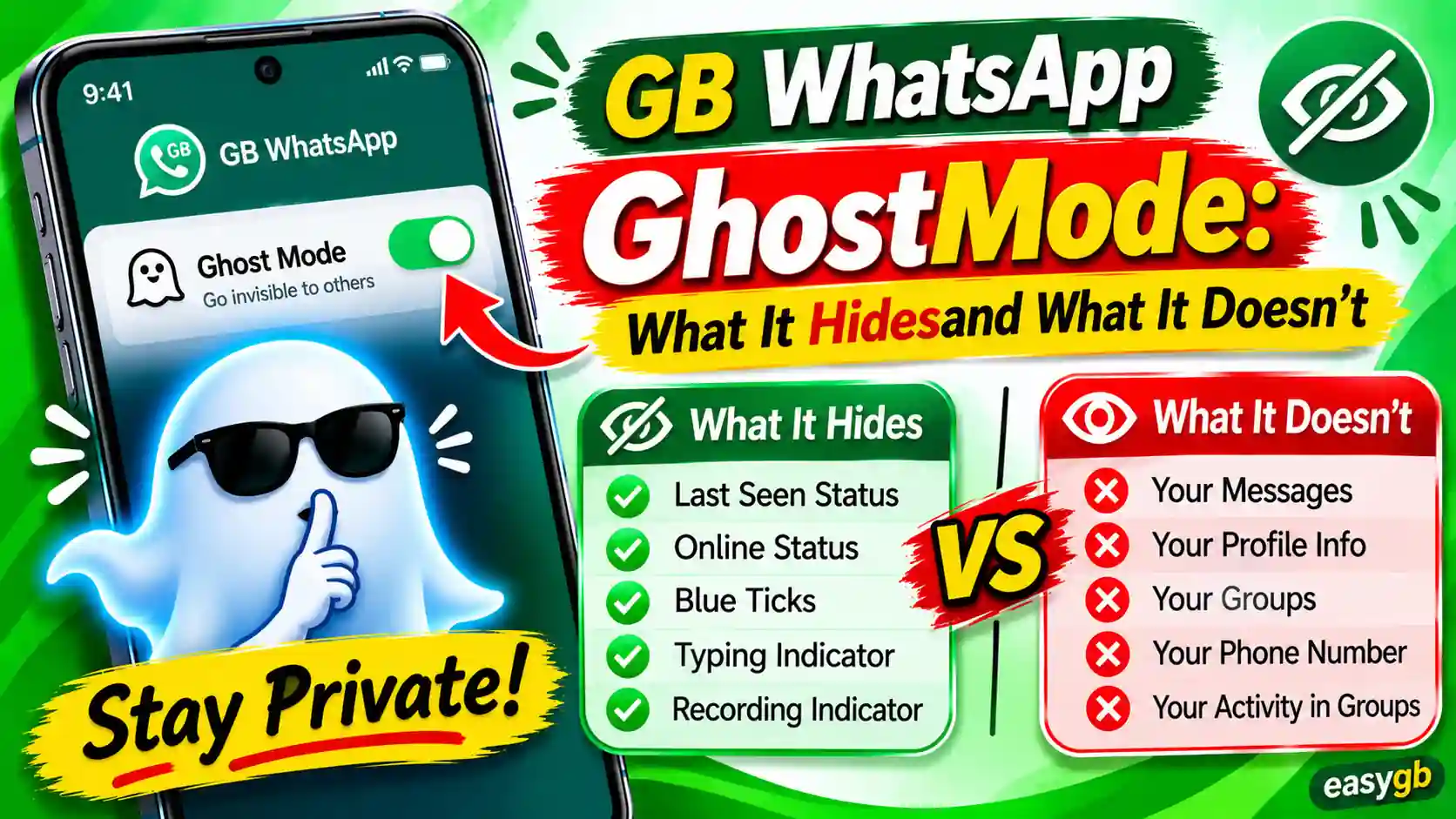
GB WhatsApp Ghost Mode: What It Hides
and What It Doesn’t
Ghost Mode in GB WhatsApp sounds like the ultimate privacy cheat code. One tap and you vanish. No one sees you online, no one gets a blue tick, and no one knows you just read their message. But here is the part most guides skip entirely. Ghost Mode does not make you invisible to everyone. It hides specific signals from your contacts, and it leaves other signals wide open. This guide breaks down every signal Ghost Mode controls, every gap it leaves behind, and what that means for you in plain, honest English.
What Is GB WhatsApp Ghost Mode?
Ghost Mode is not a single switch that makes you disappear from WhatsApp entirely. It is a bundled privacy toggle that combines several individual settings into one convenient control. When you activate it, GB WhatsApp stops broadcasting the key signals that your contacts use to track your activity in real time.
Think of it this way. Every time you open WhatsApp, the app sends a series of small signals outward. Those signals get relayed to your contacts. They see you are online. They see when you last opened the app. They see that you read their message. They see that you are typing. Ghost Mode intercepts those signals at the contact level and stops them from reaching anyone in your contact list.
The result is straightforward. You can open GB WhatsApp, read every message, scroll through chats, and watch status updates while appearing completely offline to everyone you know. The other person sees a static, inactive profile, as if you never opened the app at all.
Ghost Mode hides your activity from your contacts. It does not hide your activity from WhatsApp’s servers or from Meta. That distinction is critical, and we cover it fully in the limitations section below.
Ghost Mode is a GB WhatsApp exclusive. The official WhatsApp app lets you hide your last seen and turn off read receipts, but it cannot do all of this at once, and it cannot hide your live online status or your typing indicator. That is one of the core reasons users choose GB WhatsApp over the official app when contact-level privacy is the top priority.
How to Enable Ghost Mode in GB WhatsApp
Enabling Ghost Mode takes under thirty seconds once you know where to look. The exact menu label can shift slightly between builds, but the path is consistent across all major releases.
- Open GB WhatsApp on your Android device.
- Tap the three-dot menu in the top right corner of your screen.
- Select GB Settings from the dropdown. This menu is separate from the standard WhatsApp Settings.
- Go to Privacy and Security.
- Find the Ghost Mode section near the top of the list.
- Toggle the master Ghost Mode switch to ON. Individual sub-toggles let you choose which signals to bundle.
- Alternatively, tap the ghost icon in the top bar of the main chats screen for a faster one-tap activation on the go.
Once Ghost Mode is active, a ghost icon appears in your header bar confirming the mode is running. You can deactivate it at any time using the same icon or by returning to GB Settings and toggling the switch off.
Some builds of GB WhatsApp let you set a PIN for Ghost Mode. When the PIN is active, no one else can turn Ghost Mode off on your phone without entering the code. You will find this option inside the Ghost Mode settings screen.
Always run the latest version of GB WhatsApp to use Ghost Mode reliably. Older builds sometimes have incomplete implementations where individual signals can still leak through. You can download the latest verified version of GB WhatsApp from EasyGB, where updates are kept current and tested.
What GB WhatsApp Ghost Mode Hides: Signal by Signal
Here is a detailed look at every signal Ghost Mode controls and exactly what the other person sees when each one is active.
1. Your Online Status
The green “online” text appears at the top of a chat when you have WhatsApp open. In the official app, you cannot hide this while actively using WhatsApp. You can hide your last seen, but anyone who opens a conversation with you the moment you are active sees “online” regardless of your privacy settings.
Ghost Mode in GB WhatsApp changes that completely. It prevents the app from broadcasting your live online presence to any contact. You can be reading messages and replying to chats, and no one in your contact list will ever see “online” next to your name. Their screen either shows a blank space where the status would be, or it shows a frozen last seen timestamp if you also have Freeze Last Seen active.
2. Your Last Seen Timestamp
Last seen tells a contact exactly when you last opened WhatsApp. Ghost Mode handles this in one of two ways, depending on your settings. It can hide last seen entirely so nothing appears, or it can freeze your last seen at a fixed time so the timestamp never updates.
Freeze Last Seen is the more subtle option. Your contact sees a timestamp like “last seen today at 9:15 AM” and that time never changes, no matter when you are actually using the app. This approach is less obvious because a completely blank last seen immediately signals to the other person that you have privacy settings active. Freeze Last Seen looks more natural and is generally the smarter choice for maintaining invisibility without raising suspicion.
3. Blue Ticks and Read Receipts
Blue ticks are the two blue checkmarks that appear when you read a message in WhatsApp. They create a strong social expectation of a reply, which is exactly why many users want to disable them. Ghost Mode turns them off completely.
When Ghost Mode is active, your contacts see grey double ticks (delivered) for every message you read, no matter how many times you open and re-read it. You can open a message, read it carefully, draft a reply, delete the draft, and close the chat. The sender still sees only grey ticks.
There is an important advantage here that separates GB WhatsApp from the official app. GB WhatsApp hides your blue ticks from others while still showing you the blue ticks on your own sent messages. The official WhatsApp only offers mutual disabling, meaning if you turn off read receipts, you also lose the ability to see when others have read your messages. Ghost Mode removes that trade-off entirely.
4. The Typing Indicator
The “typing…” text at the top of a chat when you compose a message is one of the most revealing real-time signals in messaging. In the official WhatsApp, you cannot disable it. Ghost Mode turns it off entirely.
You can type a full reply, edit it repeatedly, and delete the whole thing without the other person ever knowing you were composing anything. This is particularly useful in sensitive conversations where you want time to think without the other person knowing you are actively engaging with their message.
5. The Voice Recording Indicator
When you press and hold the microphone button in WhatsApp to record a voice note, the chat header changes to “recording audio…”. Ghost Mode hides this indicator as well. The other person has no idea you are recording a voice message until you actually send it. They see nothing until the voice note arrives in the chat.
6. Status Views (Anonymous Status Watching)
On standard WhatsApp, when you watch someone’s status update, your name appears in their viewer list. They can open their status, swipe up, and see exactly who watched it and when. Ghost Mode includes a Hide View Status option that removes your name from that list entirely.
You can watch any status update without being logged as a viewer. The person who posted the status will never know you saw it. This feature is completely absent from the official WhatsApp. There is no native way to watch a status anonymously without a mod.
7. Voice Note Blue Ticks
Voice notes have their own read receipts in WhatsApp. When you listen to a voice message, the waveform turns blue to signal that you heard it. Ghost Mode includes a separate toggle for voice note blue ticks in most current builds, letting you listen to voice messages without the waveform color changing. The sender sees the voice note as delivered but never confirmed as listened to.
Full Ghost Mode Privacy Signal Reference Table
Here is a complete reference of every signal Ghost Mode controls, what your contact sees when it is active, and whether the same protection exists in the official WhatsApp app.
| Signal | What Your Contact Sees | In Official WhatsApp | Works in Groups |
|---|---|---|---|
| Online Status | Nothing (blank) | Last seen only, not live status | Yes |
| Last Seen | Hidden or frozen timestamp | Yes, hide for everyone | Yes |
| Blue Ticks | Grey double ticks only | Yes, but mutual (both sides lose) | No, server enforced |
| Second Tick (Delivery) | Single grey tick only | Not available | Partially |
| Typing Indicator | No “typing…” shown | Not available | Yes |
| Recording Indicator | No “recording…” shown | Not available | Yes |
| Status Views | Not in viewer list | Not available | N/A |
| Voice Note Blue Ticks | Waveform stays grey | Not available | No |
What Ghost Mode Does NOT Hide: The Honest Breakdown
This section is the part that most other guides get wrong or skip entirely. Ghost Mode is a genuinely powerful tool, but it has clear and important limits. Understanding those limits makes you a smarter user and stops you from relying on privacy protection that simply does not exist.
Your Replies Expose You
This is the most important and most overlooked limit of Ghost Mode. The moment you send a reply, a timestamp appears on your outgoing message. If someone messaged you at 10:00 PM and you reply at 10:45 PM, they can see you were active at 10:45 PM. Ghost Mode does nothing to hide the timestamps on your outgoing messages.
In practice, this means Ghost Mode gives you reading privacy, not replying privacy. It lets you silently evaluate a conversation before you choose to respond. Once you send a reply, your recent activity is partially visible through that message’s timestamp. Use Ghost Mode to buy genuine thinking time, not to read secretly and then reply instantly as if nothing happened.
Group Chat Blue Ticks
Group chats behave differently from private chats. WhatsApp enforces read receipts in group conversations at the server infrastructure level. This means that even with Ghost Mode active, other group members can sometimes see blue ticks on your messages or see that you have read theirs. The ability to fully hide blue ticks in group chats is limited even in the most recent GB WhatsApp builds, and the behavior varies between versions.
If you rely on Ghost Mode for privacy in group conversations, treat that assumption with caution. Test it against your specific version before counting on it for sensitive group situations.
WhatsApp’s Servers See Everything
This is the most critical limitation, and the one that privacy-conscious users absolutely need to understand. Ghost Mode hides signals from your contacts. It has zero effect on what WhatsApp’s servers collect about your usage.
When you use any version of WhatsApp, including GB WhatsApp, your metadata flows to Meta’s infrastructure. This includes when you logged in, how long you were active, which chats you opened, and when you sent or received messages. Ghost Mode modifies what your contacts see at the app level. The server-side record of your activity remains completely intact. If you want to understand exactly what data WhatsApp collects at the platform level, WhatsApp’s official privacy policy lays it out in full.
Ghost Mode gives you strong contact-level privacy. It does not give you platform-level anonymity. If your concern is commercial data collection or surveillance at the platform level, no feature inside any WhatsApp mod can address that. Ghost Mode is the right tool for controlling what the people in your chats can see about you. It is not a tool for hiding from WhatsApp itself.
Your Profile Picture and About Text
Ghost Mode does not affect your profile picture or your About section. If your contacts can normally see your profile photo, they can still see it with Ghost Mode on. Visibility of your profile content is controlled separately under the standard WhatsApp privacy settings for profile photo and About. Ghost Mode only controls real-time presence signals, not static profile information.
Active Call Status
When you are on a WhatsApp voice call or video call, the chat may still display “on a call” to people who message you during that time. Ghost Mode does not fully suppress this signal across all builds. If call privacy matters to you, GB WhatsApp provides a separate option to disable incoming calls entirely, but that setting lives outside of Ghost Mode and must be configured independently.
Message Delivery Grey Ticks
Ghost Mode hides blue ticks, not grey ticks. A single grey tick means your message has left the sender’s device. A double grey tick means it reached your device. The double grey tick cannot be suppressed because it is a delivery confirmation at the server and device level. The other person will always know their message was delivered to your phone, even in full Ghost Mode. They just will not know whether you read it.
The Fact That You Use a Mod
WhatsApp has detection systems that identify modified clients at the connection level. Ghost Mode does nothing to conceal the fact that you are running GB WhatsApp rather than the official app. This is the source of the ban risk that we cover in our dedicated guide on GB WhatsApp bans. Ghost Mode is a contact-facing privacy tool. It is not a technical camouflage for the mod itself, and it does not reduce your ban exposure in any way.
Ghost Mode vs. Individual Privacy Settings: When to Use Which
Ghost Mode bundles everything into one switch. But there are many situations where you do not want all the signals hidden at the same time. Here is a practical guide to choosing between the two approaches.
Use Ghost Mode when you want a complete contact-level blackout. Good scenarios include checking messages during a meeting, reading a sensitive conversation without pressure to respond immediately, or using WhatsApp during personal time when you do not want anyone knowing you are available.
Use individual settings when you want selective control. GB WhatsApp’s individual privacy toggles let you apply rules per contact, something Ghost Mode cannot do. For example, you can hide your online status from everyone except your close family. You can let certain contacts see your last seen while hiding it from everyone else. Ghost Mode applies to all contacts equally, so it is an all-or-nothing control.
The smartest approach is to configure your individual privacy settings as your baseline for everyday use, then activate Ghost Mode as a master override when you need a full blackout. The two systems work well together. Ghost Mode does not replace your base configuration. It stacks on top of it.
For users who want to go deeper into per-contact controls and notification management, our guide on GB WhatsApp notifications and visibility settings covers the finer controls that Ghost Mode does not touch.
Ghost Mode vs. Official WhatsApp Privacy Controls
It is worth putting Ghost Mode directly alongside what the official WhatsApp app offers so the gap is clear. Official WhatsApp has improved its privacy controls significantly over the last few years, but it still falls short on several key signals.
| Privacy Signal | Official WhatsApp | GB WhatsApp (Ghost Mode) |
|---|---|---|
| Hide Online Status | Last seen only, live online always visible | Full online status hidden |
| Hide Blue Ticks | Mutual only, you lose theirs too | One-sided, you still see theirs |
| Freeze Last Seen | Not available | Available as separate toggle |
| Hide Typing Indicator | Not available | Full control |
| Hide Recording Indicator | Not available | Full control |
| Anonymous Status Viewing | Not available | Full control (Hide View Status) |
| Hide Second Tick | Not available | Available |
| All-in-one toggle | Not available | Ghost Mode (one tap) |
The official WhatsApp is the safer choice from a security and account stability standpoint because it is the verified, actively maintained app from Meta. Read our full breakdown of GB WhatsApp safety if you want to weigh the contact-privacy gains against the security considerations before deciding which app suits your situation best.
Common Ghost Mode Mistakes That Undermine Your Privacy
Ghost Mode is simple to activate, but people regularly misuse it in ways that undermine the very privacy they are trying to protect. Here are the most common mistakes and how to avoid each one.
Replying Immediately After a Ghost Read
If you activate Ghost Mode to read a message undetected and then reply within seconds, the timestamp on your reply reveals your activity anyway. A fast reply after a long-delayed read makes it obvious that you were monitoring the conversation quietly. Use Ghost Mode to buy genuine thinking time. Do not use it to secretly read messages and then pretend you just saw them.
Not Enabling Freeze Last Seen
Ghost Mode hides your live online indicator, but if you do not also freeze or hide last seen, that timestamp can still update in certain builds when the app syncs with the server. Always confirm that last seen is frozen or set to hidden as part of your Ghost Mode setup. The two settings work together, and leaving last seen unaddressed creates a gap.
Assuming Full Invisibility in Groups
As discussed above, group chat blue ticks are a known limitation. A common mistake is enabling Ghost Mode and assuming it provides the same invisibility in group conversations that it provides in private chats. It does not. Test your specific build in a group setting if group privacy matters to your use case.
Using Ghost Mode During Account Verification
Some account flows, including phone number verification, two-step verification prompts, and app re-registration, require active online status signals to complete correctly. Activating Ghost Mode during these processes can cause them to fail or stall. Turn Ghost Mode off temporarily any time you go through a verification step, then turn it back on afterward.
Treating Ghost Mode as a Security Feature
Ghost Mode is a contact-privacy tool. It is not an encryption layer, a security hardener, or a way to hide from WhatsApp’s platform. If your concern is platform-level data privacy or protection from third parties, Ghost Mode does not address those things. Keep your expectations anchored to what Ghost Mode actually delivers: controlling what the people in your chats can see about your activity.
Advanced: Combine Ghost Mode with DND Mode for Full Control
Ghost Mode and DND Mode solve different problems. Using them together gives you a level of control over your WhatsApp presence that no single feature can provide on its own.
Ghost Mode hides your activity while you are actively using the app. DND Mode goes one step further: it cuts off GB WhatsApp’s internet connection entirely, so no new messages are delivered to your device while the mode is active. Think of Ghost Mode as going invisible while present, and DND Mode as going genuinely offline without affecting any other app on your phone.
The combination works well in a layered approach. Keep Ghost Mode as your default state so that when you are in the app, no one sees your activity. When you need a proper break and do not want any messages delivered to GB WhatsApp at all, activate DND Mode on top of Ghost Mode. Your other apps stay fully connected. Only GB WhatsApp pauses.
You will find DND Mode in GB Settings alongside Ghost Mode. The two features complement each other well for anyone who wants granular control over both their visibility and their availability at the same time.
For maximum contact-level privacy, combine Ghost Mode with Freeze Last Seen and Hide View Status. That combination removes your online signal, freezes your timestamp, hides your blue ticks, kills your typing and recording indicators, and lets you watch statuses without appearing in any viewer list. You become effectively invisible to your contacts on every signal the app exposes.
Frequently Asked Questions About GB WhatsApp Ghost Mode
Does Ghost Mode completely hide you from everyone on GB WhatsApp?
Ghost Mode hides your online status, last seen, blue ticks, typing indicator, recording status, and status views from your contacts. It does not hide your activity from WhatsApp’s servers. Meta and WhatsApp can still see when you are active, which chats you opened, and your full message history. Ghost Mode is contact-facing privacy, not platform-level anonymity.
Can I still send and receive messages with Ghost Mode on?
Yes. Ghost Mode does not block messages in any direction. You can send and receive messages normally while it is active. The only change is what others can see about your activity. They will not see blue ticks, they will not see you online, and they will not see you typing. Messages flow without any interruption.
Will Ghost Mode still show me other people’s blue ticks?
Yes, and this is one of the real advantages GB WhatsApp has over the official app. On official WhatsApp, disabling read receipts is a mutual setting: you lose the ability to see other people’s blue ticks if you turn off your own. GB WhatsApp’s Ghost Mode hides your blue ticks from others while still showing you the blue ticks on your sent messages when the other person reads them. You get one-sided read receipt control.
Does Ghost Mode work in group chats?
Ghost Mode works partially in group chats. It reliably hides your online status and typing indicator in groups. However, group chat blue ticks are enforced at the WhatsApp server level, so they may still appear even with Ghost Mode active. Online status hiding and typing indicator hiding work well in groups. Read receipt hiding in groups is less reliable and varies between GB WhatsApp builds.
How do I know if Ghost Mode is actually working?
The easiest test is to use a second phone or ask a trusted contact to check for you. Enable Ghost Mode on your main device, then open GB WhatsApp and start using it. On the second phone, open a conversation with your number and look for “online” in the chat header. If Ghost Mode is working correctly, that indicator will be absent. You can also send yourself a test message and check whether blue ticks appear after you read it.
Can someone tell that I have Ghost Mode turned on?
Not directly. There is no indicator that tells a contact you are in Ghost Mode. However, a contact who pays close attention might notice that your last seen never changes and that your messages never turn blue. Experienced WhatsApp users recognize these patterns as signs of active privacy settings. Ghost Mode hides your activity. It does not hide the fact that you have privacy settings enabled.
Does Ghost Mode drain more battery?
No. Ghost Mode uses the same local toggle system as other GB WhatsApp privacy settings. It does not run any additional background processes or extra network operations. Your battery usage with Ghost Mode on is effectively identical to your battery usage with it off.
Is Ghost Mode available on official WhatsApp?
No. Official WhatsApp does not have a Ghost Mode. You can hide your last seen and turn off read receipts in the official app, but you cannot hide your live online status or your typing indicator. The ability to bundle all of these controls into a single toggle is exclusive to GB WhatsApp and a small number of similar mods. This remains one of the most requested features for the official app, but Meta has not added it.
What happens to Ghost Mode when I update GB WhatsApp?
Your Ghost Mode settings are usually preserved across minor updates within the same GB WhatsApp build line. However, when you move to a significantly newer version, your privacy settings may reset to default. It is good practice to check your Ghost Mode toggle after any major update to confirm your settings are still active.
Can I use Ghost Mode on iPhone?
No. GB WhatsApp is an Android-only application. Apple’s installation policies prevent third-party mods from running on iPhones without jailbreaking. If you use an iPhone and want stronger privacy controls, you are limited to the official WhatsApp privacy settings. Read our guide on GB WhatsApp for iOS for the full picture and any available alternatives for iPhone users.
Does Ghost Mode hide the fact that I am using GB WhatsApp from Meta?
No. Ghost Mode is a contact-privacy feature. It does not operate at the connection level and does not conceal that you are using a modified client. WhatsApp has detection systems that can identify modified clients regardless of your in-app privacy settings. Ghost Mode has no effect on those detection systems or on your account ban risk.
Verdict: Ghost Mode Is Powerful, but Know Its Limits
Ghost Mode in GB WhatsApp is one of the most genuinely useful contact-privacy features available in any messaging app right now. It hides your online status, freezes your last seen, removes blue ticks, kills your typing and recording indicators, and lets you watch statuses anonymously. All of that happens with a single tap. For anyone who wants to use WhatsApp on their own terms without the social pressure of constant visibility, Ghost Mode delivers real, measurable value.
But Ghost Mode has limits you need to respect. Your replies still carry timestamps that reveal your activity window. Group blue ticks remain visible in most builds because WhatsApp enforces them at the server level. WhatsApp’s servers still collect your metadata regardless of what your contacts see. And the fact that you are running a mod is not hidden from Meta’s detection systems.
Use Ghost Mode for what it does exceptionally well: controlling what the people in your chats can see about your activity in real time. With that clear understanding, it becomes one of the most practical reasons to choose GB WhatsApp over the official app when contact-level privacy is your priority.
Sources and References
- WhatsApp Official Privacy Policy: whatsapp.com/legal/privacy-policy
- Electronic Frontier Foundation, Surveillance Self-Defense: Choosing Your Tools: ssd.eff.org
- GB WhatsApp Privacy Features Reference: realgbapps.com/gb-whatsapp-privacy-features/