
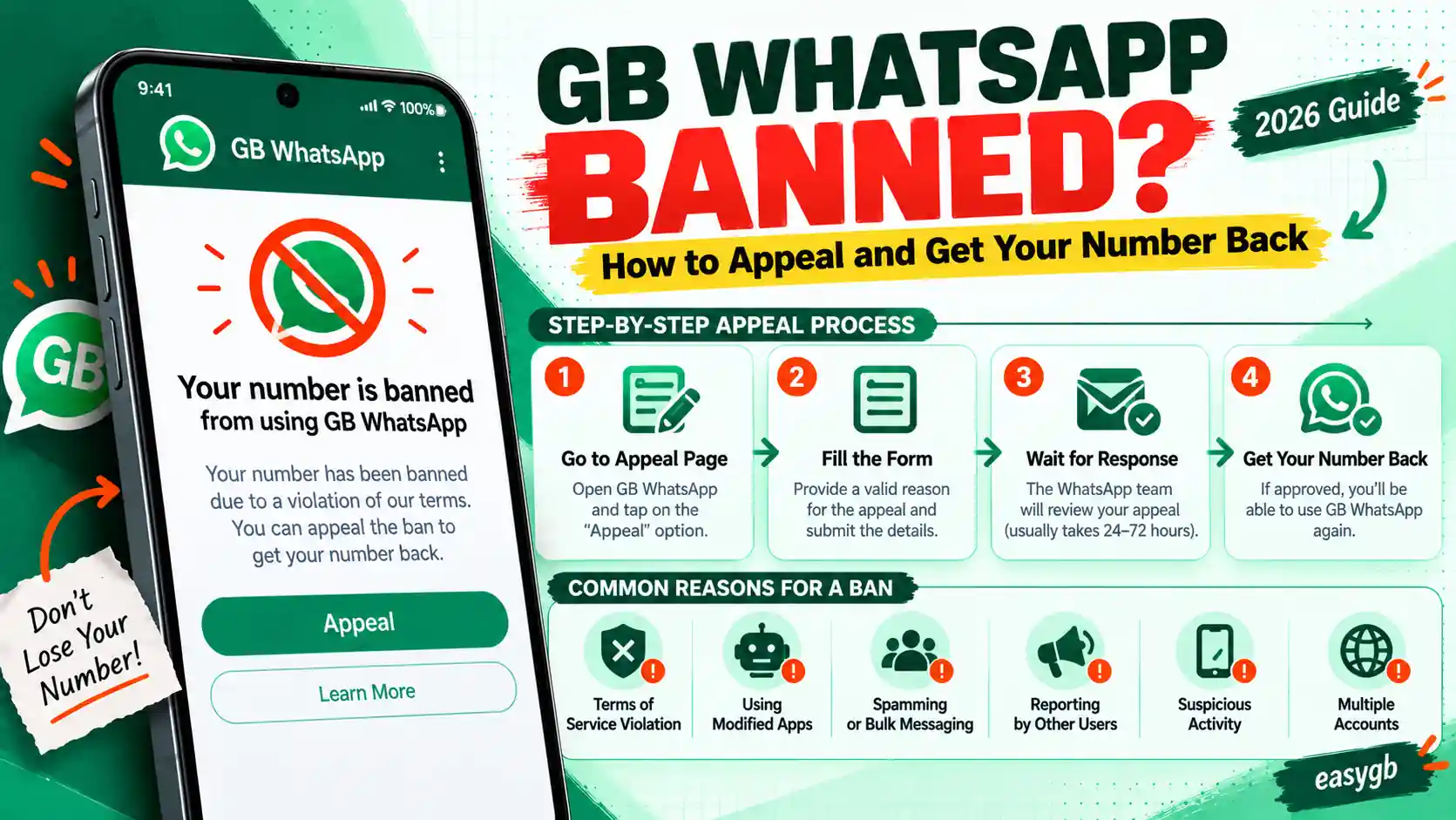
GB WhatsApp Banned? How to Appeal and Get Your Number Back (2026)
Got a ban screen on GB WhatsApp? First, find out which ban you have, because each one needs a different move. Then follow the exact steps to wait it out or appeal it, what to write in your review request, and how to keep your chats safe the whole time.
Your account is temporarily banned
You are using an unofficial app. Switch to official WhatsApp before the timer ends.
Learn moreWhy WhatsApp Bans GB WhatsApp Users
WhatsApp’s Terms of Service forbid modified apps. So when its servers detect GB WhatsApp, they can lock the number, even if you never sent a single spam message.
Most first offenses end in a temporary ban with a countdown. Keep using the mod afterwards, and the bans can grow longer until the number is blocked for good.
WhatsApp also bans for reasons that have nothing to do with mods: spam, bulk messaging, automation tools, scams, and lots of reports or blocks from other users. If you did any of those, the ban may stick even after you switch apps.
Here is the key insight most guides miss. A temporary ban and a permanent ban need opposite responses. With one you simply wait; with the other, waiting does nothing and you must appeal. So identify yours first.
Your next move depends on the screen you see. In short:
- Countdown timer: it is a temporary ban. Do not appeal; back up, wait for the timer, then move to official WhatsApp.
- “This account is not allowed to use WhatsApp”: it is a permanent ban. Install official WhatsApp and tap Request a review.
- “You need the official WhatsApp”: it is a login block, not a ban, and it has its own fix.
- Never pay an “unban” service. Only WhatsApp can lift a ban.
On this page Tap to open
Which Ban Do You Have?
Match your screen to one of these three cards. The wording matters more than anything else on this page.
Seeing the third card? You do not need an appeal at all. Follow our guide to fix the you need the official WhatsApp error instead.
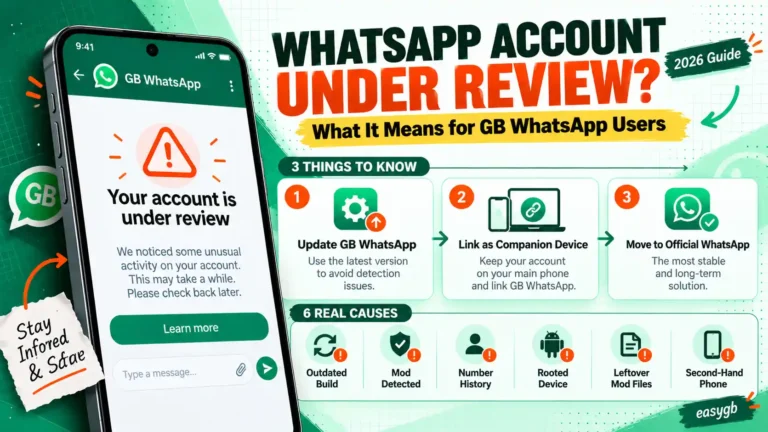
Seeing “Account in review”? That is a check, not a ban. In August 2026, WhatsApp placed many accounts under review for about 24 hours and later said some were flagged by mistake. Wait for the review to finish and avoid reinstalling.
Save Your Chats First
A ban does not delete your messages, but the steps that follow often involve uninstalling. So protect your backup now.
- If GB WhatsApp still opens, go to Settings, then Chats, then Chat Backup and tap Back Up.
- Copy the whole GBWhatsApp folder from Android, then media, then com.gbwhatsapp to a computer or cloud drive.
- Keep that copy until your number works again. You can only restore it on the same number, after the ban lifts.
Part 1: Temporary BanNo appeal needed. You wait, then switch apps.
How to Fix a Temporary GB WhatsApp Ban
A temporary ban has no review button, because it ends on its own. Your job is to make sure you come back on an app WhatsApp will not ban again.
- Stop using GB WhatsApp immediately. Do not reinstall it or try another mod while the timer runs.
- Back up and copy your GBWhatsApp folder, as shown above.
- Let the full countdown finish. Changing your phone’s date or reinstalling does not shorten it.
- Rename the folder to WhatsApp and move it into Android, then media, then com.whatsapp.
- Uninstall GB WhatsApp, install official WhatsApp from the Play Store, verify your number, and tap Restore.
Going straight back to GB WhatsApp is risky. Many users who return to a mod right after a temporary ban report a longer ban next time, and some end up with a permanent one. If you still want the extra features, use a different, secondary number for GB WhatsApp.
Not sure whether to stay on the official app? Our side by side breakdown of GB WhatsApp vs official WhatsApp shows exactly what you gain and lose.
Part 2: Permanent BanWaiting does nothing here. You need a review.
How to Appeal a Permanent Ban Step by Step
WhatsApp handles appeals inside its official app. GB WhatsApp cannot send a review request, so you need the real app for this.
- Uninstall GB WhatsApp after saving your backup folder.
- Install official WhatsApp from the Google Play Store.
- Open it, enter your banned number, and wait for the ban screen to appear.
- Tap Request a review. If WhatsApp asks for details, write a short, honest explanation, using the template below.
- Submit once, then leave the app alone. WhatsApp sends a notification when it decides.
No Request a review button? WhatsApp only shows it for bans it allows you to appeal. If it is missing, the ban is final for that number, and only Contact us inside the app or WhatsApp’s help center remains as a last attempt.
Each appeal covers one phone number. So if you had two banned numbers, appeal each one separately from its own registration screen.
What to Write in Your Appeal
No wording guarantees approval. However, short and honest appeals give reviewers the clearest picture. WhatsApp can already see device information, so denying mod use rarely helps.
- Keep it under 100 words.
- Say what you use the number for, such as family, work, or school.
- Confirm you removed the unofficial app and use only the official one now.
- Do not threaten, beg, or send the same appeal again and again.
Ban Reasons and Your Real Chances on Appeal
Reviewers look at why the account was flagged. Some causes have decent odds, while others almost never get reversed. Be honest with yourself about which row fits you.
| Ban reason | Appeal option | Realistic chance |
|---|---|---|
| Detected using GB WhatsApp only | Temporary ban: none. Permanent ban: usually yes | Fair, if you switch fully to the official app |
| Flagged by mistake during an automated sweep | Yes | Good; WhatsApp restores wrongly flagged accounts |
| Many contacts reported or blocked you | Usually yes | Low to fair, depending on what you sent |
| Bulk messaging or auto forwarding | Usually yes | Low |
| Automation tools, bots, or scraping | Sometimes | Very low |
| Scams, fraud, or harmful content | Rarely | Almost none |
Notice that mod use alone sits near the top. That is because switching to the official app removes the cause. Spam and automation sit lower, since the behavior itself broke the rules.
What Happens After You Appeal
Here is the typical sequence, based on WhatsApp’s own guidance and what users report.
- StartYou submit the reviewThe ban screen changes to show that your request is being reviewed.
- 24 hoursWhatsApp decidesWhatsApp says most reviews finish within 24 hours, though some take longer.
- DecisionYou get a notificationOpen official WhatsApp to see whether the ban was lifted or upheld.
- ApprovedVerify and restoreVerify your number again, then restore your backup to bring your chats back.
While you wait, there is nothing to speed up. Extra emails, new appeals, or messages from other accounts do not move your request forward.
Approved or Rejected: What to Do Next
If your appeal is approved
- Verify your number in official WhatsApp
- Restore your backup during setup
- Turn on two step verification right away
- Stay on the official app with this number
If your appeal is rejected
- Treat the decision as final for that number
- Get a new number for WhatsApp
- Tell contacts your new number by SMS or another app
- Keep your old backup folder; it will not open on a new number
Got your number back? Our guide to restoring your chat backup walks through every folder and file, so no messages get left behind.
Special Cases: Linked Devices, Business, and Repeat Bans
GB WhatsApp was only a linked device
If you ran GB WhatsApp as a companion linked to official WhatsApp, detection often logs out the linked session first. Open official WhatsApp, go to Linked devices, remove the GB session, and keep using your main app. If the main account shows a ban screen too, follow the steps in Part 1 or Part 2.
Your WhatsApp Business number got banned
The same rules apply, but the stakes are higher. Appeal from the official WhatsApp Business app, mention that the number serves real customers, and never run a mod on a business number again. Meanwhile, tell customers about a temporary contact route through your website or social pages.
You keep getting banned
Each repeat detection usually brings a longer ban. After two or three temporary bans on the same number, a permanent one becomes likely. At that point, the only safe plan is official WhatsApp on that number, with GB WhatsApp reserved for a separate number you can afford to lose.
A new number shows a ban right away
Recycled numbers sometimes carry a ban from a previous owner. In that case, tap Request a review and explain that the number is new to you; mention the date you got the SIM.
No Review Button? Try Contact Us Once
When the review option is missing or your appeal was rejected, one channel remains. Use it once, and keep your expectations realistic.
- Open official WhatsApp on the banned number and look for Help or Contact us on the ban screen.
- Write the same short, honest message from the appeal template, and add the date the ban started.
- Attach nothing else, and send it only once.
- Reply from the same email address if WhatsApp writes back asking for details.
If nothing changes within a week, accept the decision and move to a new number. Spending weeks on a final ban only delays getting back in touch with people.
Do and Do Not While You Wait
Do
- Keep your SIM active and in your phone
- Keep your backup folder copied somewhere safe
- Use the phone you normally use
- Check the official app for the decision
Do not
- Reinstall GB WhatsApp or another mod
- Register the number on a borrowed phone
- Send multiple appeals
- Share your verification code or PIN with anyone
Unban Services and Tools Are Scams
Search results, YouTube videos, and Telegram groups are full of people offering to unban your number. Every one of them is selling something they cannot deliver.
- “Unban apps” and APKs: no app can reach WhatsApp’s servers to lift a ban, and many carry malware.
- Paid unban services: they take your money and often ask for your verification code, which lets them steal the account.
- Mass email scripts: sending dozens of complaints from different addresses does not reach a reviewer any faster.
- Changing your IP or using a VPN: the ban sits on your number, not your connection.
How to Avoid the Next Ban
- Keep your main number on official WhatsApp, and use GB WhatsApp only on a secondary number.
- If you use GB WhatsApp, update to every new build quickly, because old builds get detected first.
- Avoid bulk messaging, auto forwarding, and adding strangers to groups.
- Turn on two step verification so nobody can hijack your number during a reinstall.
- Never use the same number on two mods at once.
Frequently Asked Questions
How do I unban my GB WhatsApp number?
For a temporary ban, wait for the timer and switch to official WhatsApp. For a permanent ban, install official WhatsApp, enter your number, and tap Request a review.
How long does a GB WhatsApp temporary ban last?
The timer on screen shows the exact time, usually hours to a few days. Repeat bans tend to get longer.
Can I appeal a temporary ban?
No. Temporary bans have no review option because they end on their own. Wait for the timer, then switch to official WhatsApp.
How long does a WhatsApp ban review take?
WhatsApp says most reviews finish within 24 hours. You get a notification in the app when it decides.
What should I write in a WhatsApp ban appeal?
Keep it short and honest: say you used an unofficial app, have removed it, use only official WhatsApp now, and use the number for personal chats.
Why is there no Request a review button?
WhatsApp only shows it for bans it lets you appeal. Without it, the ban is likely final for that number.
Can I appeal from inside GB WhatsApp?
No. Appeals work through the official WhatsApp app, so install it from the Play Store and enter your banned number there.
Will I lose my chats after a ban?
Not if you saved your backup folder. After the ban lifts, restore it on the same number in official WhatsApp.
What happens if my appeal is rejected?
The ban is usually final for that number. You will need a new number to use WhatsApp again.
Can I use GB WhatsApp again after a ban?
You can, but it risks a longer or permanent ban. If you want its features, use a different, secondary number.
Do unban apps or services work?
No. Only WhatsApp can lift a ban. Unban apps and paid services are scams, and some steal accounts.
Is a VPN able to remove a WhatsApp ban?
No. The ban is tied to your phone number, not your IP address or location.
What does account in review mean?
WhatsApp is checking your account, often for about 24 hours. It is not a ban yet, so wait and avoid reinstalling.
Why did WhatsApp ban me if I never sent spam?
Using any unofficial app like GB WhatsApp breaks WhatsApp’s Terms of Service, so detection alone can trigger a ban.
Sources and Further Reading
- WhatsApp Help Center: banned accounts, unofficial apps, and requesting a review
- Gulf News: the August 2026 wave of accounts placed under review
- Technobezz: temporary versus full bans and the review option (September 2026)
- WhatsApp Terms of Service: the rules on modified and unauthorized apps
2 Comments